
Hudson Deed
Hudson Deed websites: built to be found, owned by you
A Hudson Deed site is designed and built for your business on Netlify, WordPress or Squarespace, and you own every piece of it, from the domain to the code to the copy. Every page is planned around the questions your buyers ask, for the people deciding whether to call you and the AI assistants that may answer them first.
- Netlify
- WordPress
- Squarespace
The ownership promise
Hudson Deed: you own every piece of it
Every site we build is a Hudson Deed site, which means it belongs to you, not to us. Some marketing vendors license a site to the business rather than transfer it, so the site stays behind when the contract ends. A Hudson Deed site is built the other way around, and the list of what you own is specific.
Two edges, stated up front
Stock photos, premium fonts and paid plugins belong to the companies that make them, so we license them in your name and they move with you. And in regulated fields, the licensed professional still approves what is published, at every level of service.
Deed of ownership
- The domainRegistered in your name.
- The hosting accountIn your name, whether that is Netlify, your WordPress host or Squarespace.
- The site's filesThe code and theme files on Netlify and WordPress. On Squarespace, the account, the subscription and everything you publish are yours, while the platform itself remains Squarespace's.
- The contentAll of the copy, the page library and the structured data.
- Your voice and researchYour Hudson Twenty-One profile and the research behind your pages.
- Your dataYour analytics and Search Console accounts, in your name.
A deed is not a lease: if you ever stop working with us, the site goes with you.
Recent builds
Sites we have designed and built
Recent homepages, captured on desktop and phone. On most of them, business names, logos, people and phone numbers are blurred, and each card says whether it is a live site or a concept built for a prospective client.
-
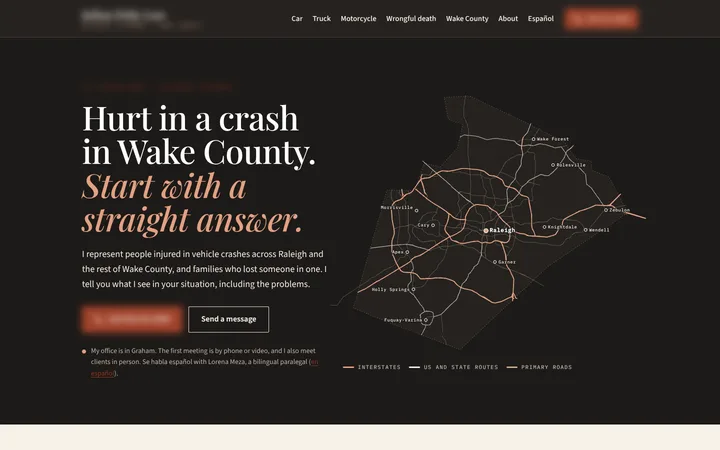
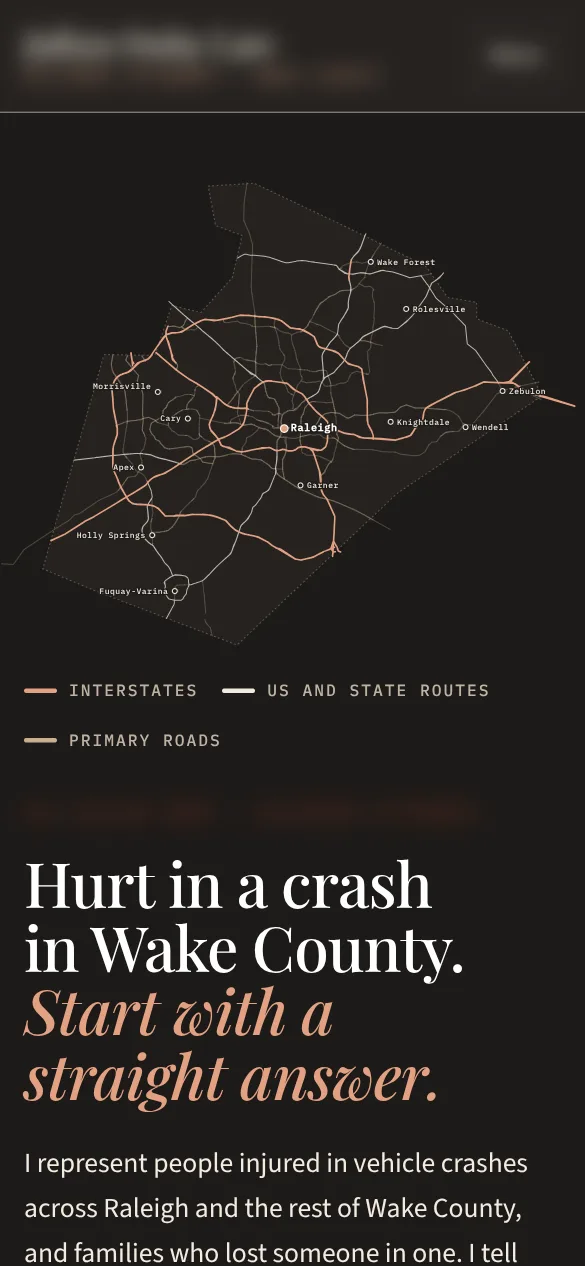
Live sitePersonal injury firm, Raleigh and Wake County, North CarolinaThe site opens on a map drawn from Wake County's real road network, with town pages for six Wake County towns and a Spanish section for Spanish-speaking callers. -
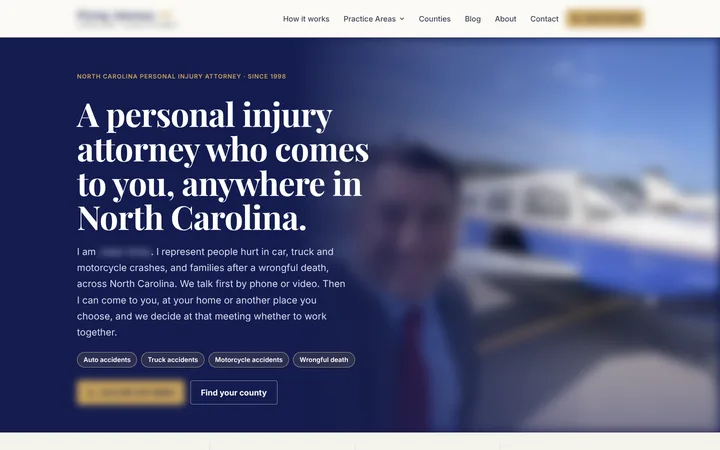

Live sitePersonal injury attorney who travels to clients, statewide North CarolinaThe first screen says the attorney comes to you anywhere in the state, the first talk is by phone or video, and a county finder sits beside the call button. -
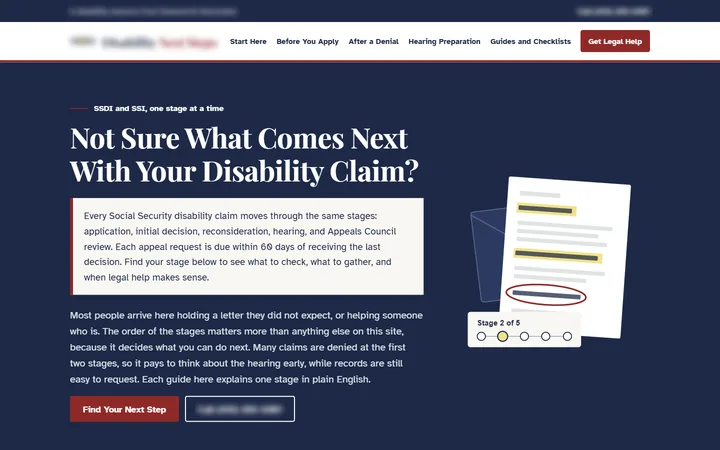
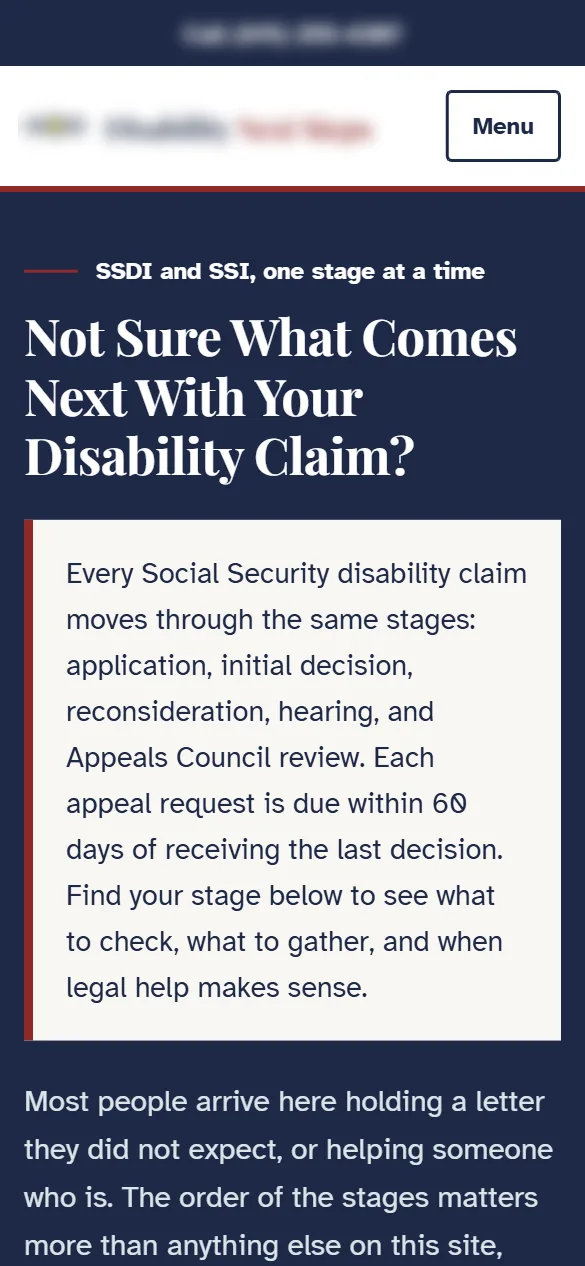
Site in reviewSocial Security disability law firm, nationwideA second site built to teach before it asks for anything: visitors start from the letter in their hand, each of the five claim stages is explained with the federal rule behind it, and four printable worksheets keep what people write off the site. -
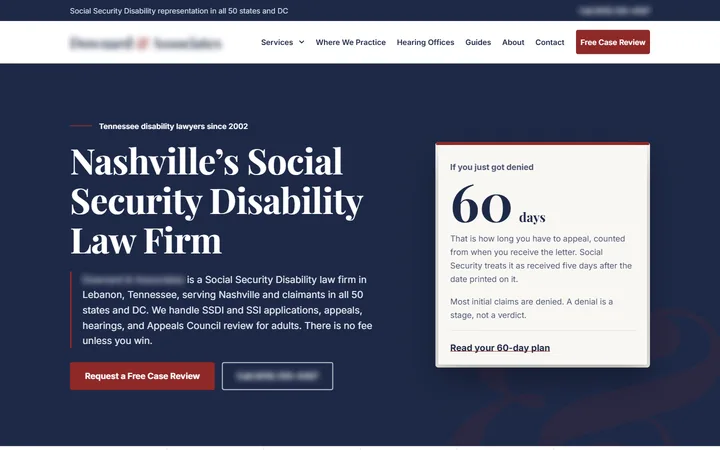
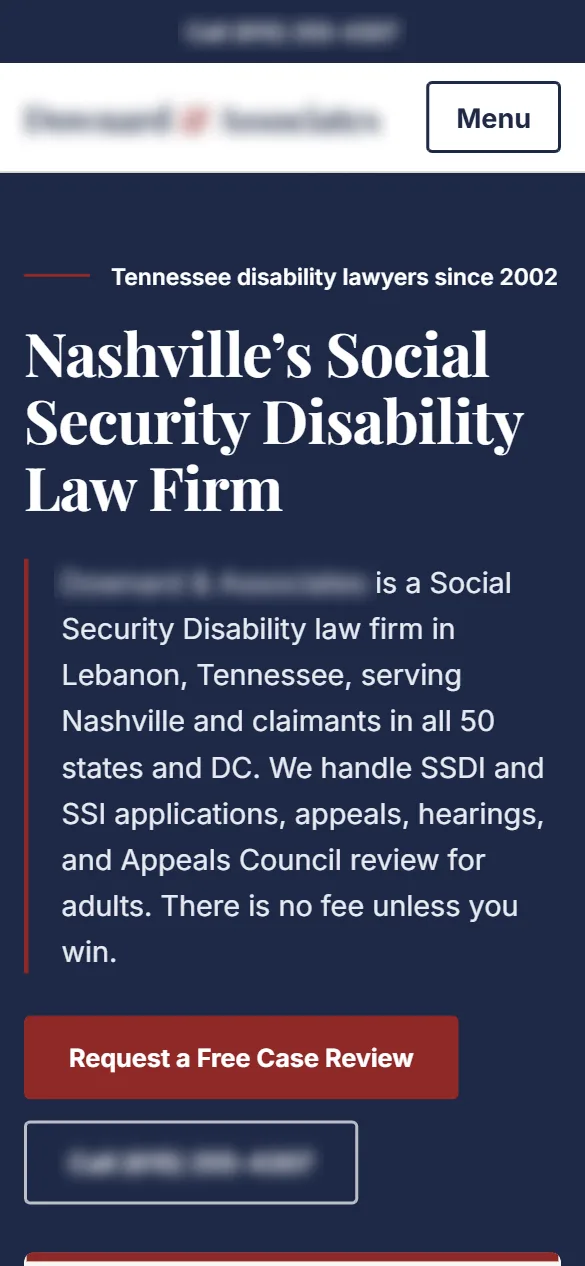
Homepage conceptSocial Security disability law firm, Nashville and all 50 statesSomeone who was just denied sees the 60-day appeal clock on the first screen, the federal fee cap sits in the stats right below it, and a clickable map covers every state the firm serves. -
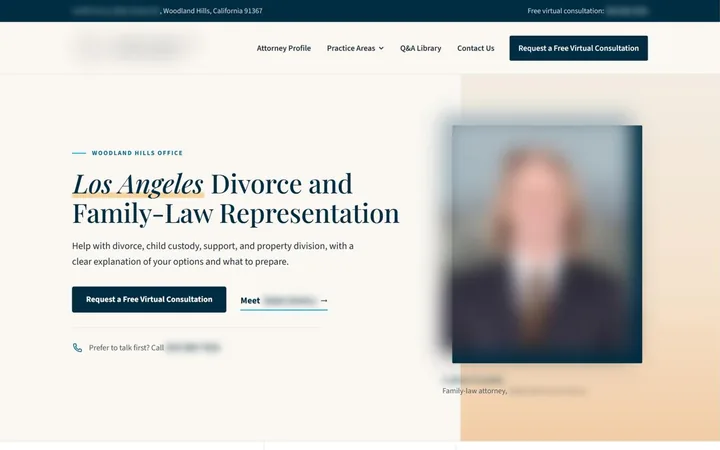
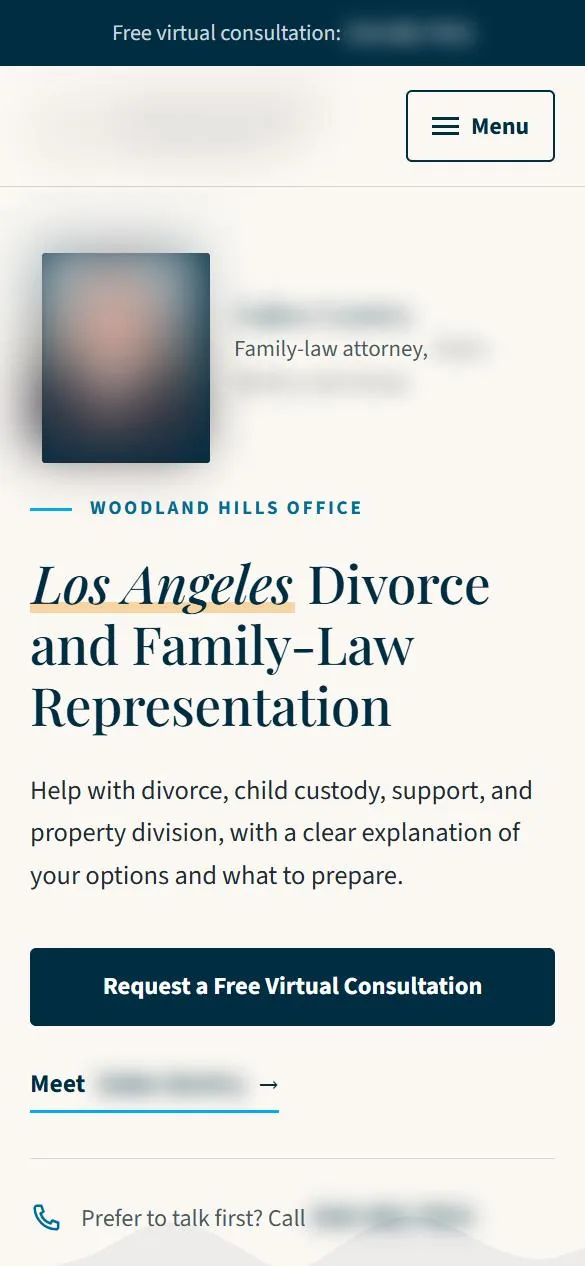
Homepage conceptFamily law firm, Los Angeles areaPractice areas and a Q&A library sit in the main menu, and a virtual consultation request is the first button on the page. -
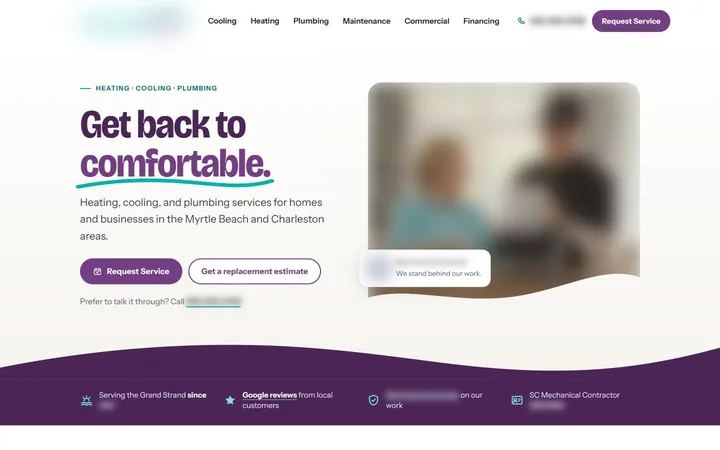
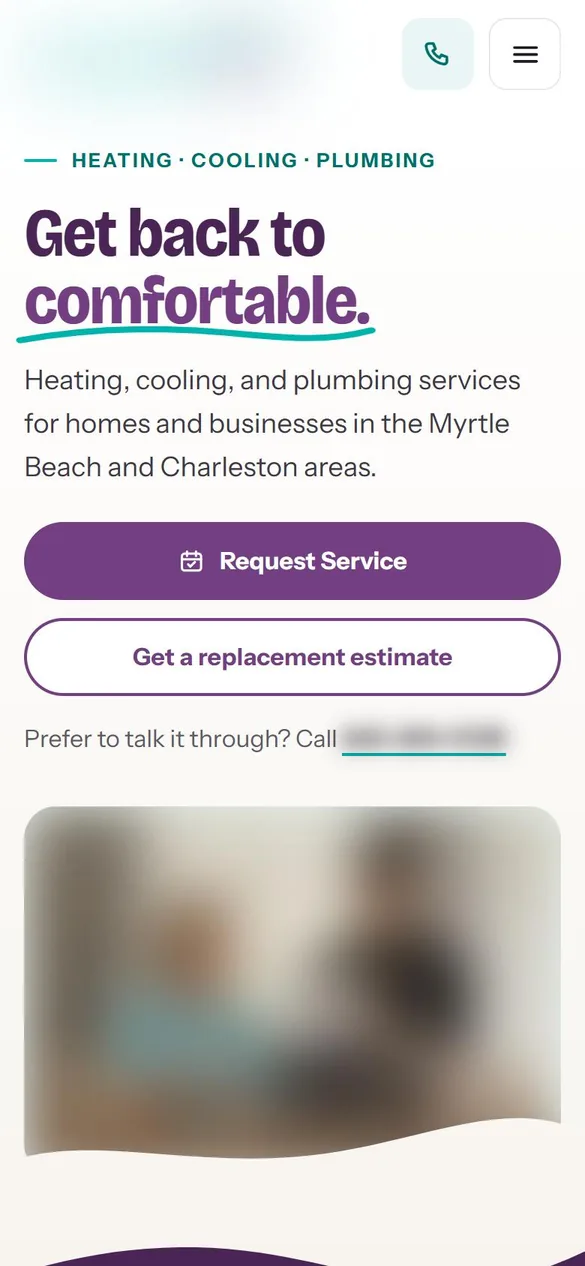
Homepage conceptHeating, cooling and plumbing company, South Carolina coastThe menu is organized by trade, a request-service button stays in the header, and the opening line names the service area. -
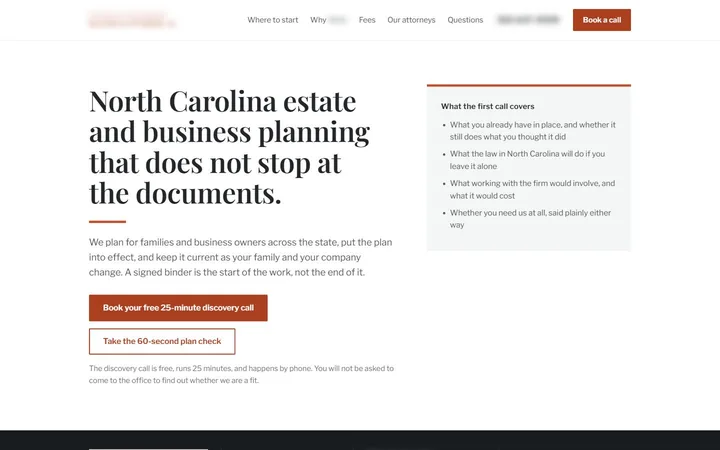
Homepage conceptEstate and business planning firm, North CarolinaThe first screen spells out what the free first call covers, with a 60-second plan check as a second way in. -
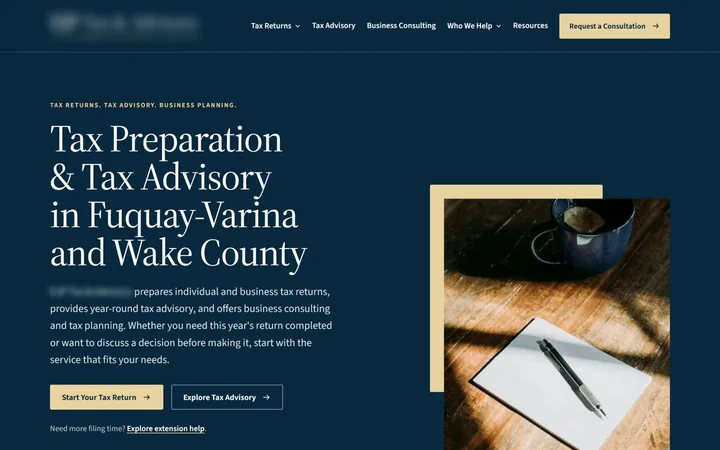
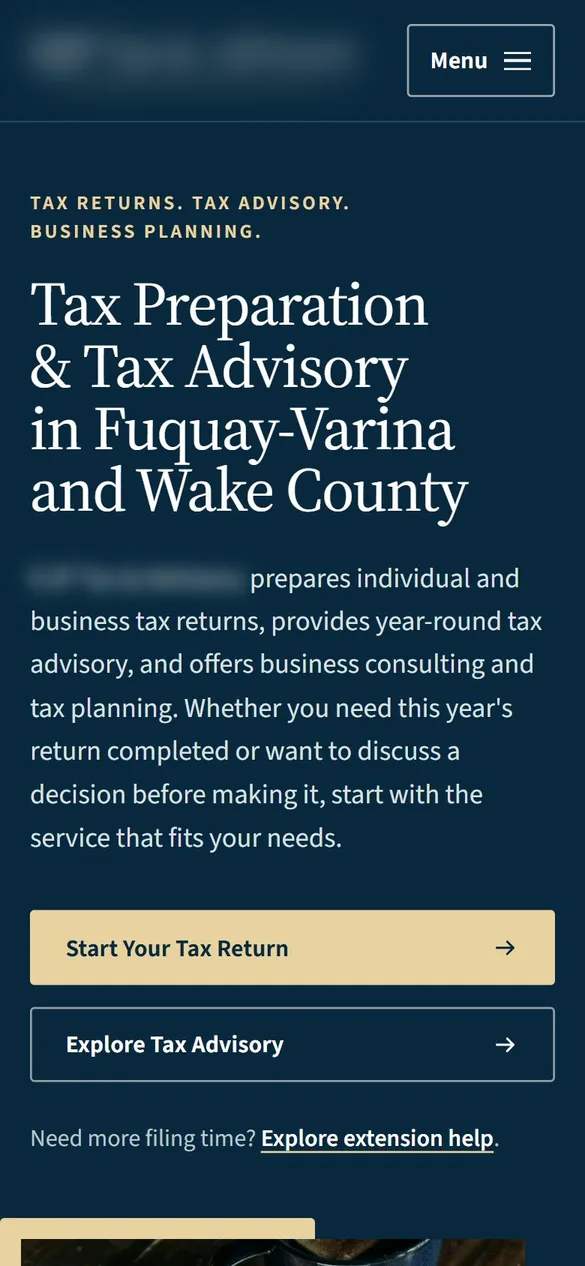
Site in reviewTax practice, Fuquay-Varina and Wake County, North CarolinaThe first screen splits visitors two ways, filing a return or year-round tax advisory, with extension help one click from the top. -
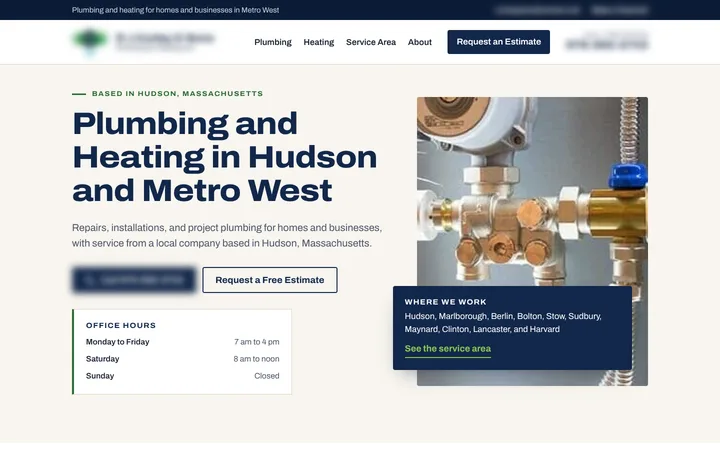
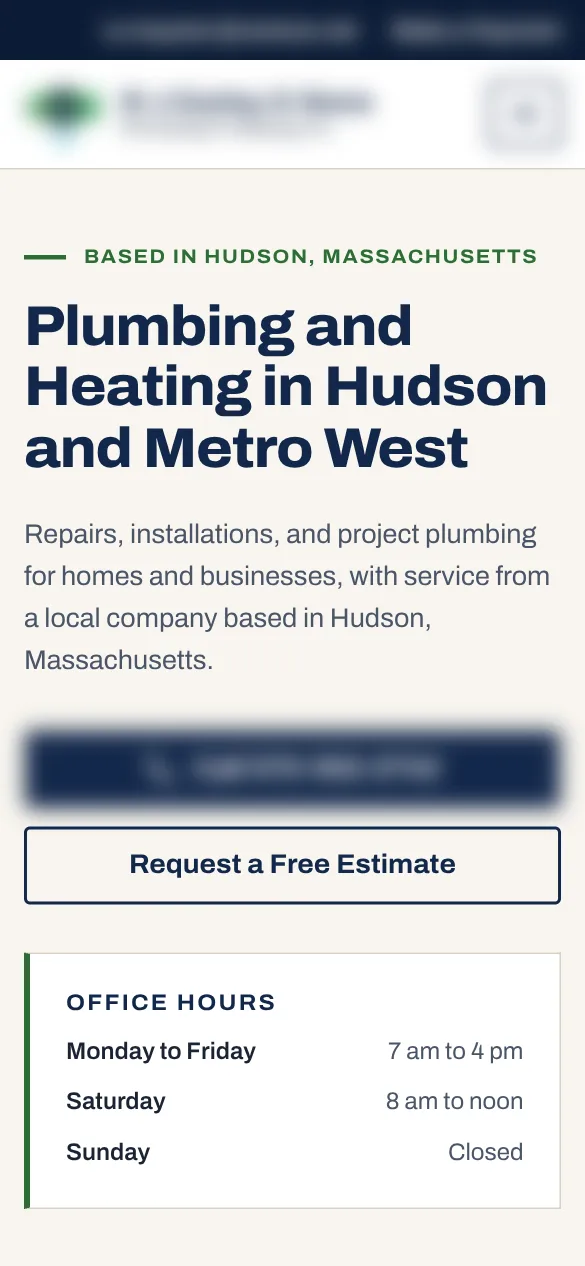
Homepage conceptPlumbing and heating company, Hudson and MetroWest, MassachusettsThe opening line names the service area, the call button and the free estimate request sit side by side, and office hours sit right under them. -
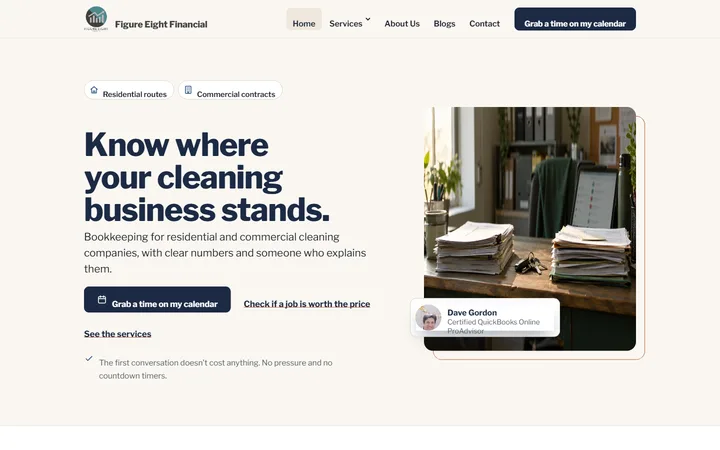
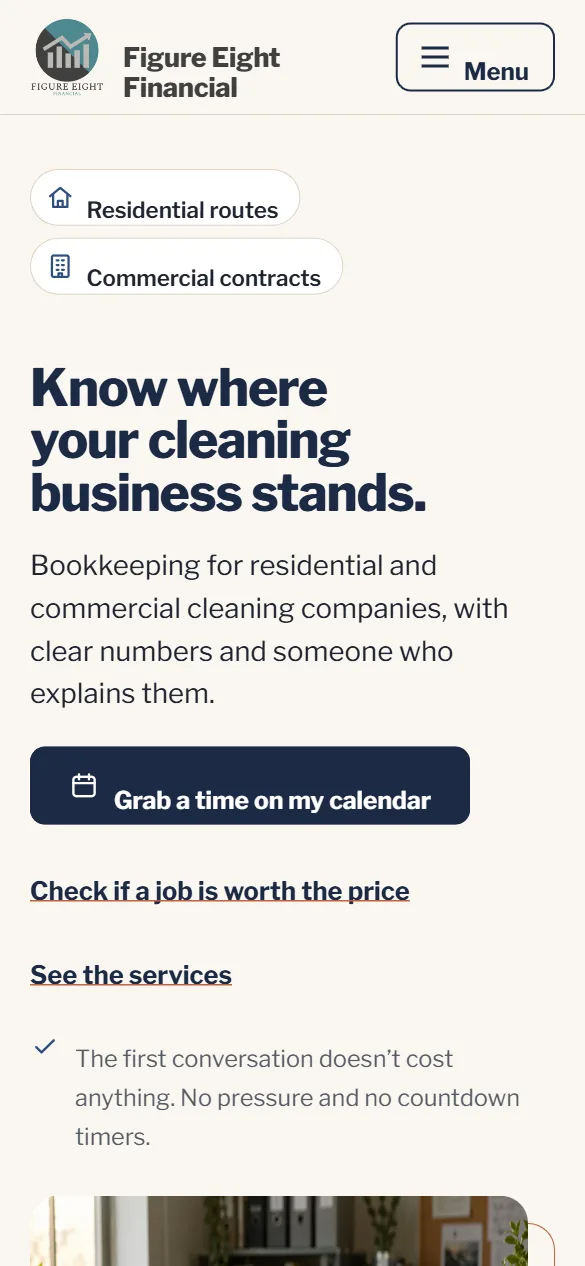
Live siteFigure Eight Financial, bookkeeping for cleaning companiesWritten for one niche, residential and commercial cleaning companies, with booking a call as the main action and a quick check of whether a job is worth the price. -
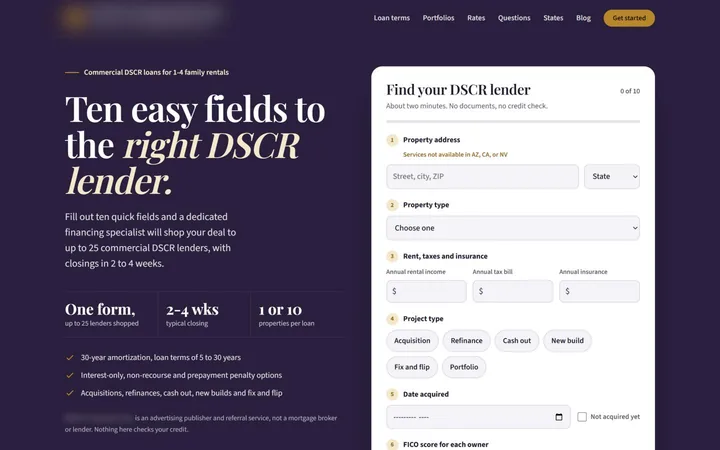
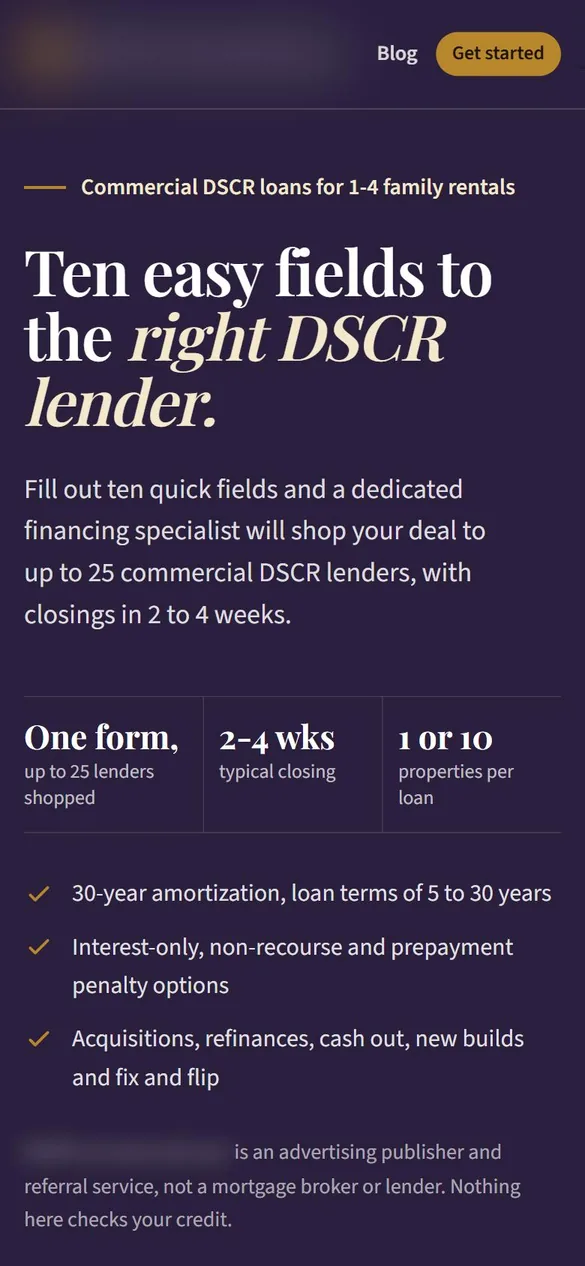
Live siteInvestment property lending, lead generationA ten-field lender-matching form fills the first screen, and the referral disclosure is in view before anyone starts typing.
Who reads your site
Two audiences, one website
A website used to have one job: look credible when someone typed your name. It now has a second reader. Before a buyer ever visits, an assistant such as ChatGPT or one of Google's AI features may already have summarized what businesses like yours do, working from whatever pages it could read.
Reader one
A person with a question
- Does this company handle my kind of job?
- What happens after I send the form?
- Who will I actually talk to?
They leave quickly when the page talks around it.
Reader two
Software reading on their behalf
Google states there are no additional requirements for a page to appear in AI Overviews or AI Mode: to be shown as a supporting link, it has to be indexed and eligible to show in Search with a snippet, and the existing search fundamentals remain worthwhile.
OpenAI says any public website can appear in ChatGPT search, as long as the site is not blocking its search crawler, OAI-SearchBot.
Neither company's published guidance that we have read offers a formula for which business gets named, and we do not claim to know one. What the documentation supports is narrower and more useful: a page has to be reachable, indexable, and clear about what it says. Design that looks finished is not the same as a page that says something. A homepage built on a slogan and a stock photo gives both audiences little to work with, and the fix is rarely visual.
How pages are built
What makes a page readable and quotable
Our working view, which we hold as a hypothesis rather than a rule any assistant has published, is that a passage is easier to quote when it can stand on its own. The answer comes first, the conditions that change the answer sit right beside it, and the page names the business, the service, and the place in plain words instead of leaning on a heading three screens up. We expand on this in what makes a website easy for AI assistants to read and quote.
Markup helps the machine audience read the page. Google describes structured data as a standardized format for providing information about a page and classifying its content, and it generally recommends JSON-LD where a site's setup allows. Its AI features documentation adds that structured data should match the visible text, so the markup can never claim what the copy does not. Our page on what structured data is and whether your website needs it goes further.
The rest is ordinary craft: one topic per page, headings phrased the way buyers phrase their questions, and service pages that describe how the work happens rather than listing it. Google's guidance on people-first content asks a question worth putting to every draft: why is this page being created in the first place? If the honest answer is "to rank," the page is not ready.
The method
How the four steps shape a build
Our websites are built around the same four steps as our content work, in this order.
- 01
Authority Asset
Gathers approved business knowledge and evidence: the services, the process, the credentials the business can document, and the explanations its people already give.
- 02
Hudson Twenty-One
Records how the business communicates across 21 dimensions, so headings, buttons, and form labels sound like the company rather than a template.
- 03
Market Intelligence
Researches buyer questions and the market, which decides what pages the site needs and what each one has to answer.
- 04
AEO Creation
Turns those inputs into answer-first content for every page.
The sequence matters on a website more than almost anywhere else. Copy written last tends to get squeezed into boxes drawn for a different message, and a new site carrying old, vague copy is still a vague site. With the facts gathered first, the writer should not have to invent what the business knows; the page reports it.
Example, fictionalA pest control company in Virginia might learn during Authority Asset that most first calls are about termite inspections rather than general spraying, and the homepage would change because of it.
Platforms
Three platforms, three kinds of owner
We build on Netlify, WordPress, and Squarespace, and on no other platforms. The right choice depends less on features than on who will touch the site after launch.
Before you pick, ask your team, "When our hours change or a new service launches, who logs in to fix the page, and how soon does it need to be live?" The answer usually points to one of these.
-
Netlify
Hand-coded static sites
Suits businesses that want speed, security, and low upkeep and are happy to have Hudson South make their edits.
Building on Netlify -
WordPress
Custom theme, edited by you
Suits businesses that want to log in, edit pages, post blogs, and use plugins. Our WordPress builds use a custom theme, not a marketplace theme with tweaks.
Building on WordPress -
Squarespace
A simple editor you manage
Suits businesses that want a simple editor they manage themselves, and we design those sites for the business inside Squarespace's own editor.
Building on Squarespace
We build what we recommend
Each platform has its own page, with the trade-offs drawn from that platform's documentation. In October 2026 Hudson South moved its own site, hudsonsouth.ai, from Squarespace to a hand-built site on Netlify, keeping existing addresses or redirecting them. The questions a move like that raises are covered in how to move a website without losing search traffic.
Levels of service
Four levels, on any platform
Each level includes everything in the one before it, and each is available on Netlify, WordPress or Squarespace. Sites start at $5,000 for a basic build of up to 10 pages with the content written by us, and every engagement is scoped before it starts.
- Level 1
Foundation
The site itself: design, build, migration with redirects from your old addresses, structured data and forms, all owned by you.
- Level 2
Authority
Everything in Foundation, plus
Your Hudson Twenty-One profile and a question-page library built from Market Intelligence research.
- Level 3
Ongoing
Everything in Authority, plus
AEO Creation that keeps going after launch, a quarterly Content Intelligence plan and reporting.
- Level 4
Hands-Off
Everything in Ongoing, plus
We plan, write, publish and update everything. You approve, and regulated firms get compliance sign-off built into the process.
Every build
What every build includes
Platforms differ; the practice does not. These describe how we work, not contract terms.
Answer-first structure
The top of each page answers the question that page exists for.
Structured data
Written in JSON-LD.
An XML sitemap
Google describes a sitemap as a file giving search engines information about a site's pages and files, and it notes that listing a page there does not mean the page will be crawled and indexed.
Redirects when a site moves
Google's site move guidance calls mapping old URLs to new ones important and recommends permanent server-side redirects where technically possible.
Form submissions
Emailed to the business.
Mobile layout checks
Layouts checked at phone width before launch.
Accessibility checks
The W3C's Web Accessibility Initiative says tools cannot check all accessibility aspects automatically and that human judgment is required, so an automated pass is a floor, not a finish line.
A quality gate on copy
Run before launch.
Design is led by our Director of Design, who runs her own studio, is a Squarespace Circle member, and has built close to fifty custom sites.
What we leave out
Pages a site is better without
Doorway and city-swap pages
Doorway pages and city-swap pages, the near-identical location pages where only the town name changes, do a site no favors. Google's spam policies define doorway abuse as sites or pages created to rank for specific, similar search queries, and they list pages targeted at particular regions or cities that funnel users to one page as an example. A service-area page earns its place when it says something true and specific about that area, and when it cannot, it should not exist.
Claims without evidence
Results, reviews, credentials, and numbers on a site should come from the business's own evidence, which is the material the Authority Asset step gathers. In fields with advertising rules, such as law, health care, and financial services, those claims belong in front of the business's own compliance staff or counsel before anything goes live. We also take one business per trade in each geographic market, so the competitor down the street is not working from the same plan.
By industry
Websites built for your industry
Law firms
Hudson South designs and builds law firm websites on Netlify, WordPress, or Squarespace, with practice area pages, attorney bios, and an intake path planned around how the firm takes on matters.
Home services and trades
Hudson South designs and builds websites for HVAC, roofing, plumbing, electrical, remodeling and foundation companies on Netlify, WordPress, or Squarespace.
Medical, dental and wellness
Hudson South designs and builds websites for medical, dental, physical therapy, chiropractic and med spa practices on Netlify, WordPress, or Squarespace.
Financial, accounting and tax
Hudson South designs and builds websites for financial advisors, CPA firms, tax practices and bookkeepers on Netlify, WordPress, or Squarespace.
Real estate and lending
Hudson South designs and builds websites for mortgage lenders, brokers, real estate brokerages and property managers on Netlify, WordPress, or Squarespace.
Manufacturing and industrial
Hudson South designs and builds websites for manufacturers, contract manufacturers and industrial suppliers on Netlify, WordPress, or Squarespace.
Questions we answer
Questions about building and owning a website
Each page answers one question owners ask before they build, rebuild or move a website, with sources.
Owning your website
- Do you own your website, or are you renting it?
You own your website if your business holds the domain, the hosting account, the site files and the written content, and the contract keeps them with you when the relationship ends.
- What happens to your website when you cancel a marketing contract?
It depends on what the contract says and whose name is on each account.
- What should you check in a website contract before you sign?
Check seven things in writing: who holds the domain and hosting, who owns the code, design and copy, whose name third-party licenses are in, what happens at termination and handover, what renews, and who supplies the content.
- How do you move off a website you don't own?
Get the domain into your business's name first, then secure owner access to Search Console and analytics and save every page and URL.
Choosing a platform
- Netlify, WordPress or Squarespace: which platform fits your business?
Pick the platform by deciding who will change the site after launch and how often.
- Are static sites more secure than WordPress?
A static site usually gives attackers less to work with, because the public site is a set of prebuilt files with no login page, database or plugins running behind it.
- When does a business outgrow Squarespace?
A business outgrows Squarespace when its plans depend on things the platform's own documentation places outside its scope, such as substantial custom code or a future move that needs every page intact.
Planning the build
- Should you redesign your website or rebuild it?
Redesign when the platform, structure and content are sound and the problem is how the site looks or reads on a phone.
- How many pages does a small business website need?
A small business website needs one page for each distinct question a buyer must answer before contacting you, plus the basics that make the business checkable.
- What should a homepage say in its first screen?
The first screen of a homepage should tell a stranger what the business does, who it serves, where it works, and what to do next, in plain words they can read without scrolling.
- Who should own your domain and website accounts?
Your business should own its domain and every core website account in its own name, under a company email more than one person can reach.
- What should you ask a web designer before you hire one?
Ask who will own the domain and accounts, who writes the content and where the facts come from, which platform fits you and why, how edits work after launch, and what happens to your old URLs.
Built for search and AI
- How fast should a website load, and what slows it down?
Google's published targets are that the main content appears within 2.5 seconds, the page responds to a tap or click in under 200 milliseconds, and layout shift stays below 0.1, measured at the 75th percentile of real visits.
- Does a business website need a blog?
Not always.
- How should a website's URLs and page hierarchy be organized?
Use short, readable URLs made of words and hyphens in one consistent case, inside folders that group related pages the way buyers expect.
Rules and requirements
- Does a business website need to meet accessibility standards?
Most businesses that serve the public should plan their website with accessibility built in.
- What does a website need when it collects contact information?
A website that collects contact details needs a form that asks only for what the business uses, a privacy policy that matches what really happens to submissions, a secure connection, and a retention plan.
After launch
- Can you edit your website yourself after launch?
On WordPress and Squarespace you can log in and edit pages yourself, within the roles and permissions set up at launch.
- How many WordPress plugins is too many?
WordPress.org's plugin documentation sets no official number.
- How should website forms route leads so none get lost?
Send every form submission to an inbox or system more than one person monitors, keep a stored copy outside email, and check spam filters on a schedule.
- What should you measure after a new website launches?
In the first weeks, measure whether the site works as built: important pages indexed, the sitemap processed, forms delivering and key actions recorded.
Questions
Common questions
How much does a website build cost, and how long does it take?
Hudson Deed sites start at $5,000 for a basic site of up to 10 pages, with the content written by us. Because every business needs something different, each build is scoped and quoted in a proposal, including the timeline.
Does a new website mean ChatGPT will start recommending my business?
Nobody can promise that, and you should be wary of anyone who does. A build can make your site public, crawlable, and clear about what you do, which is what the published documentation from Google and OpenAI points to.
What does the free AI visibility check look at?
The AI visibility check is eight questions about your own website. It does not show what any assistant says about your business; it points to gaps on the site itself.
Can you work with the platform my site already uses?
If your site is on Netlify, WordPress, or Squarespace, that platform stays on the table. If it is on something else, a build with us means choosing one of those three, and the old addresses get redirected when the site moves.
Sources
- AI Features and Your Website. Google Search Central. Read 2026-10-17.
- Publishers and Developers FAQ. OpenAI Help Center. Read 2026-10-17.
- Intro to how structured data markup works. Google Search Central. Read 2026-10-17.
- Creating helpful, reliable, people-first content. Google Search Central. Read 2026-10-17.
- What is a sitemap. Google Search Central. Read 2026-10-17.
- Site moves and migrations. Google Search Central. Read 2026-10-17.
- Selecting Web Accessibility Evaluation Tools. W3C Web Accessibility Initiative. Read 2026-10-17.
- Spam policies for Google web search. Google Search Central. Read 2026-10-17.
Hudson Deed
Start with a look at your market.
We compare your site with your competitors' and walk you through what we find on a free 30-minute call. Every Hudson Deed site is yours to keep, from the domain to the copy.